WE'RE ALL IN! Controls & Inputs
Move, shove, aim, and mash with intent across every minigame type.
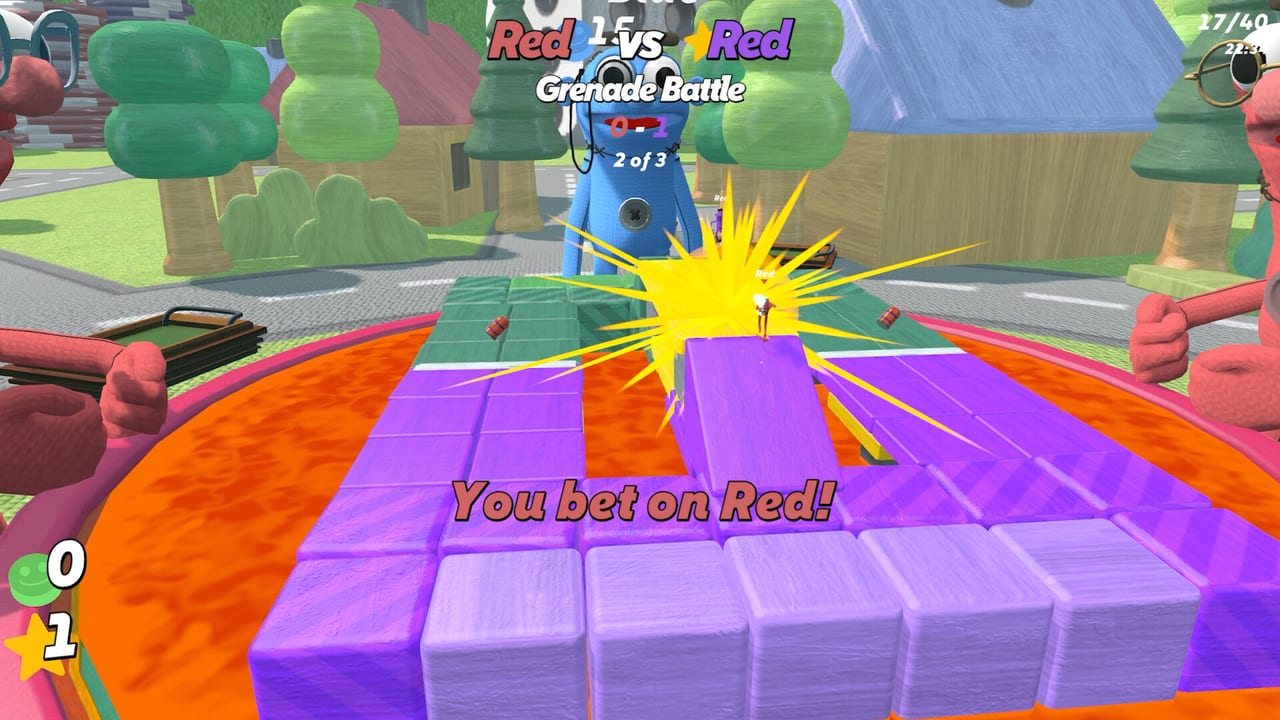
Clean inputs win more bets than trash talk. WE’RE ALL IN! throws movement arenas, aim duels, mash races, and push-heavy brawls into the same session, so your fingers need a flexible default. This page is the practical controls companion to Getting Started and the mechanical deep dives like Tile Painting. Exact binding labels can vary by device prompts in-game — treat this as a role map for what you must be able to do on demand.
Input roles you must master
| Role | What it does | Where it shows up |
|---|---|---|
| Move | Reposition on arenas, tiles, courses | Nearly every minigame |
| Camera / look | Track rivals, goals, hazards | Sniper duels, football, chaos rides |
| Primary action | Shoot, throw, claim, interact | Grenades, javelins, buttons, hoops |
| Push / shove | Disrupt friends and foes | Open arenas, tile fights, sumo-like contests |
| Mash / rapid tap | Win sprints and pressure meters | Button-mashing races, mash battles |
| Pause / menu | Lobby settings, leave, adjust | Between rounds at the table |
If any role feels awkward on your device, fix it in a private lobby before you wager chips on yourself.
Keyboard and mouse mindset
Keyboard players usually shine at precise strafing and quick menu hits. Mouse look helps sniper duels and tracking moving football goals. Practice:
- Strafe while keeping the camera on the threat that can delete your bet.
- Separate push from primary fire so you do not shove when you meant to shoot.
- Use deliberate taps in mash events; panic vibrating a single key often loses to a steady cadence.
Keep a finger free for push. In WE’RE ALL IN!, shoving is not a rare emote — it is a core verb.
Controller mindset
Controllers excel at analog movement in laser dodging, lava survival, and giant eight-ball riding. Tips:
- Lower look sensitivity until sniper duels stop feeling like weather vanes, then raise slightly for close arenas.
- Bind push somewhere you will not hit while steering through an obby.
- For mash minigames, alternate buttons if the design allows, or use a sustainable thumb rhythm that survives longer than ten seconds of adrenaline.
Agree as a friend group whether most people are on pad or keyboard so callouts like “slide left” mean the same thing.
Pushing without griefing yourself
Push timing beats push spam:
- Shove a rival off a painted edge in territory modes.
- Interrupt someone’s hoop line or javelin plant.
- Peel a chaser off the teammate you bet on.
- Avoid cliff edges when your own footing is trash.
House rules from Lobby Setup can soften or spotlight push-centric minigames. If your group hates constant shoving, disable the worst offenders and keep the night fun.
Aim and throw contexts
Grenade launcher brawls, sniper duels, and spear chucking reward different muscles:
- Hip chaos — close grenade fights; prioritize movement and detonation timing over pixel precision.
- Precision lanes — snipers; clear sightlines, patience, and not panicking after the first miss.
- Arc throws — javelins/spears; practice lead and release rhythm in empty custom rounds.
Bet sizing from How to Bet should respect which of these contexts is next. Do not self-bet a sniper round if your look sensitivity is still a meme.
Mash and rhythm events
Button-mashing sprints, mash battles, and musical chip energy demand stamina discipline. Warm up your hands. Shakeout between sessions. If you play on a laptop keyboard, consider an external board for mash nights — party integrity matters.
Movement courses and survival
Obbies, laser grids, lava floors, and hoop routes punish tunnel vision. Train yourself to glance at rival positions because pushes come from off-screen friends who love you. Survival modes reward small corrections over heroic leaps.
Accessibility and comfort
- Take breaks; mash nights destroy hands.
- Remap if a default binding hurts your wrist.
- Use private lobbies to test remaps without public pressure.
- Mac and Windows players should confirm their launcher overlay shortcuts do not collide with push or mash keys.
Hardware floors live on System Requirements. Input skill still matters more than max settings for this genre.
Warm-up routine (five minutes)
- Private lobby with one movement course — no bets.
- One aim minigame — focus on not misclicking push.
- One mash event — find a sustainable rhythm.
- One push-heavy arena — practice purposeful shoves only.
- Drop into the real table with calibrated hands.
Linking controls to winning
Better inputs raise your win rate in skill minigames, which raises the honesty of self-bets, which feeds chip income, which buys stars in How to Win. Controls are not a side page — they are economy infrastructure. When something still feels off after remapping, compare notes with friends, check Launch Notes for patches, and keep drilling the roles above.
Return to the Guides Hub for the full tutorial map, or jump into Review if you are still deciding whether your group will actually use these inputs every weekend.
Frequently Asked Questions
Quick answers to the most common questions.
Can I play with a controller?
Yes. Controllers work well for movement-heavy minigames; tune look sensitivity before sniper duels and keep push on a safe face button.
Why do I keep shoving by accident?
Your push bind is too easy to brush while steering or firing. Remap it and practice in a private lobby until the muscle memory separates.
Any tips for mash minigames?
Use a steady cadence instead of panic mashing. Warm up, consider an external keyboard if you are on a laptop, and take hand breaks.
Do Mac players get different controls?
Core roles are the same. Just watch for OS or Steam overlay shortcuts that might collide with mash or push keys.
Should I change sensitivity for every minigame?
Keep one solid default. Only make small tweaks for sniper-heavy custom lobbies so you do not wreck your arena aim.