WE'RE ALL IN! Lobby Setup
Build the party you actually want — modes, player count, and minigame filters included.
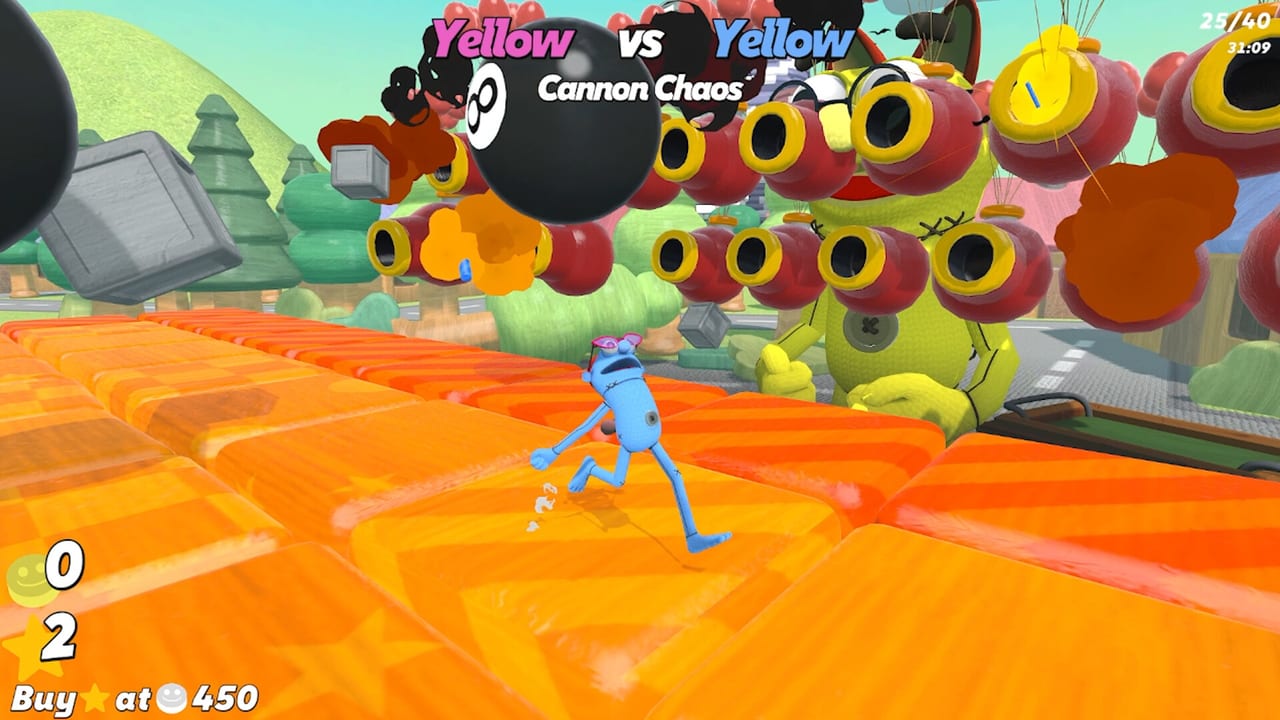
Great sessions start before the first wager. Lobby setup decides whether your night is a sweaty 1v1 gauntlet, a wholesome team roast, or an eight-player chaos engine with sniper duels on a hair trigger. This guide covers private versus public play, modes, custom minigame toggles, and host etiquette for WE’RE ALL IN! on Steam. Pair it with Getting Started and Controls so invitees are ready when the table opens.
Private lobbies vs public play
- Private lobbies — best for friends, stream nights, and practice. You control who enters, which modes run, and which minigames stay banned.
- Public sessions — best when you want fresh rivals or your group is short a few bodies. Expect wider skill variance and less house-rule discipline.
You can run anywhere from a solo warm-up vibe through a full 1–8 player online party. Full lobbies maximize comedy and betting chaos; smaller lobbies maximize readable skill.
Modes: 1v1, free-for-all, team
1v1
Pure duels. Betting reads get sharp because only two outcomes dominate. Sniper duels, sumo, and precision throws feel intense. Conversion timing from How to Win becomes a mind game — each star buy is visible pressure.
Free-for-all
Everyone for themselves. Perfect default for birthday parties and Discord randoms. Variance rises with player count. Long-shot bets matter more; see Betting Risk.
Team
Coordinate wagers and peels. Football with moving goals and arena brawls shine. Require a short voice-chat plan before locking chips (How to Bet).
Rotate modes across a long night so one format does not burn out the room.
Custom rules worth using
Official messaging highlights flexible custom lobbies: turn off hated minigames, enable specialties like sniper duels, and generally sculpt the playlist. Practical recipes:
| Night theme | Toggle ideas |
|---|---|
| New player onboarding | Keep simpler movement and mash games; soft-ban the greediest chaos |
| Aim academy | Bias toward snipers, throws, grenade brawls |
| Territory wars | Prioritize Paint Tiles and push-friendly arenas |
| Pure vibes | Keep luck games and hot potato; shrink sweat |
| Championship set | Balanced mix; no soft bans unless something is broken for your group |
If Paint Tiles is the table’s religion, leave it on and send people to Tile Painting. If someone tilts at rock-paper-scissors, ban it without shame. Friendship is a resource meter.
Host checklist before invites
- Confirm everyone owns the game on Steam (Windows or Mac).
- Share the lobby join method in chat — do not assume people see the Steam overlay.
- Announce mode and banned list up front.
- Set expectations for session length and star focus.
- Remind the group that pushing is legal unless house rules say otherwise.
- Keep system requirements handy for the one friend on a potato laptop.
Mid-session host powers
Good hosts re-tune. If laser dodging has appeared five times and joy is dead, adjust the pool. If betting stagnates because one aim god wins every duel, inject luck rounds or team modes to reshuffle agency. You are a DJ, not a tyrant — take requests.
Etiquette that prevents Discord incidents
- Do not repeatedly target soft bans at one person’s only strength unless that is an agreed roast bit.
- Warn before enabling hyper-competitive sniper brackets.
- Let someone else host the next block so power does not concentrate.
- Pause for water and hand breaks after mash gauntlets (Controls warns your tendons for a reason).
Practice lobbies as a training tool
Create a private room with two minigames only and run rapid reps. Disable betting pressure mentally even if the table still exists — narrate decisions. This is how you install instincts before a public ego check. Combine with tier notes from Minigame Tiers to decide what your group should drill.
Streaming and spectator-friendly setups
If someone is broadcasting, prefer modes with readable stakes: clear 1v1s, Paint Tiles color stories, football with obvious goals. Announce bet outcomes verbally for viewers. Link the Launch Trailer context in your stream description along with the Links Hub for store pages.
Troubleshooting join issues
- Verify Steam online status and friends list visibility.
- Restart the lobby if a Mac/Windows mixed group fails to sync once.
- Check that invite links were for the current lobby, not an expired one.
- Make sure the host did not accidentally lock the room after the third join.
Sample evening agenda
- Warm-up private FFA — all minigames on, no stress (20 minutes).
- Aim block — snipers and throws enabled (20 minutes).
- Territory + push block — Paint Tiles featured (20 minutes).
- Championship balanced set — stars matter, full betting focus (40 minutes).
- Vibes cooldown — luck games and hot potato (15 minutes).
That structure uses lobby tools as pacing, not just filters. Players leave feeling like they played several party games in one — which is the point of WE’RE ALL IN!.
When the room is configured, shift your brain to economy pages: How to Bet and How to Win. Setup creates the stage; chips and stars write the ending. More tutorials live on the Guides Hub.
Frequently Asked Questions
Quick answers to the most common questions.
Can I disable minigames my group hates?
Yes. Custom lobbies let hosts turn off disliked minigames and tune extras like sniper duels so the playlist matches the party.
What modes are available?
You can play 1v1, free-for-all, and team formats depending on how you configure the lobby.
Private or public — which should I host?
Private for friends, house rules, and practice. Public when you need more players or want unpredictable rivals.
How many players can join?
Online play supports 1–8 players. Full lobbies maximize chaos; smaller lobbies make skill and bets easier to read.
Should hosts change rules mid-session?
Yes when energy drops or one player warps the meta. Announce changes clearly so bets stay fair.